How to Log into Canvas
In this guide you will learn how to log into the Canvas Learning Management System at Grossmont College and change your default password once you have logged in.
Whether you are an instructor or a student, if you have any issues logging into Canvas, please contact the Canvas 24/7 Support line at 1-844-600-4953.
DOWNLOAD A PDF VERSION OF THIS GUIDE

Step 1
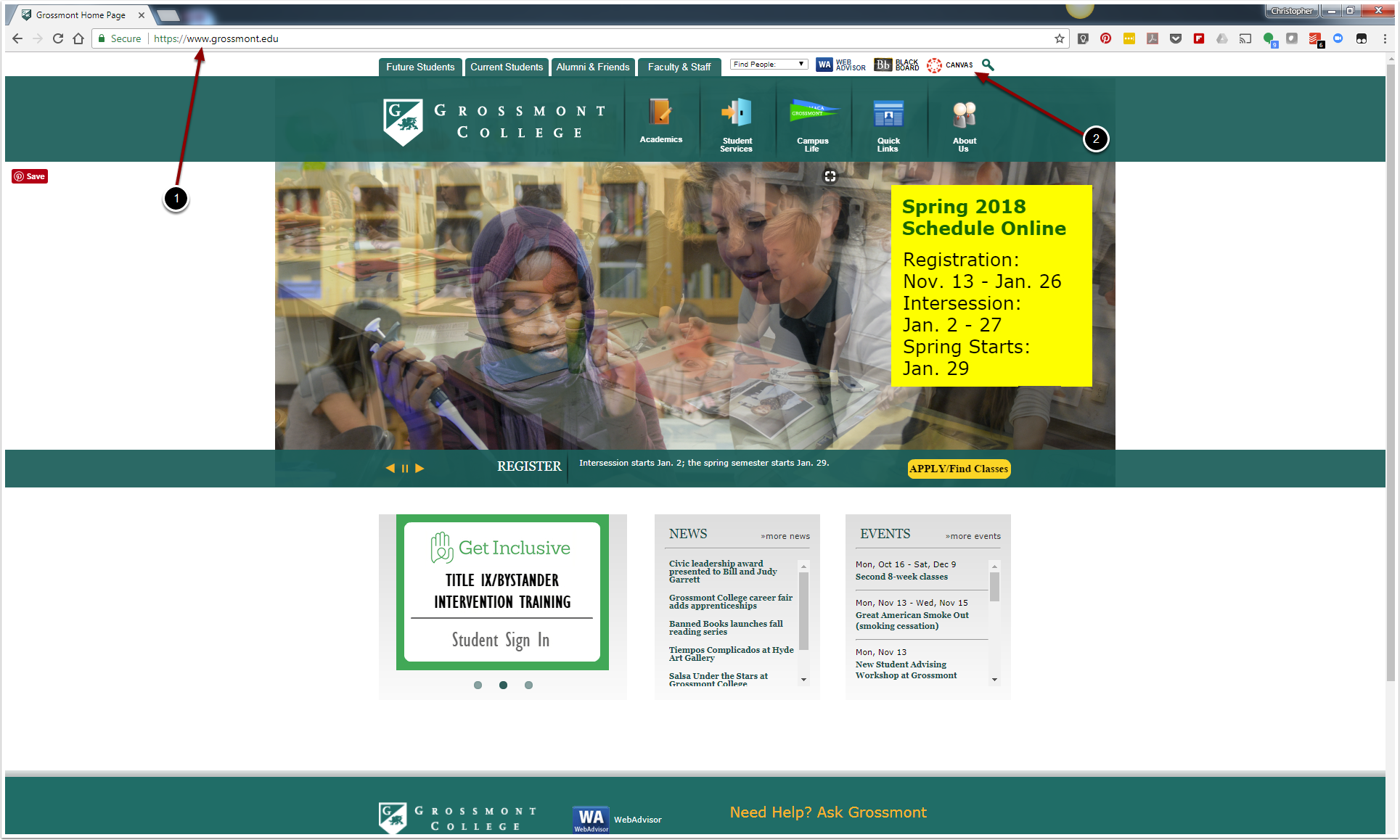
1. Open up Google Chrome or Mozilla Firefox. VERY IMPORTANT, DO NOT USE ANY VERSION OF THE INTERNET EXPLORER OR THE MICROSOFT EDGE BROWSER. Refer to the address bar and type in /.
2. Click on the red Canvas logo
Step 2
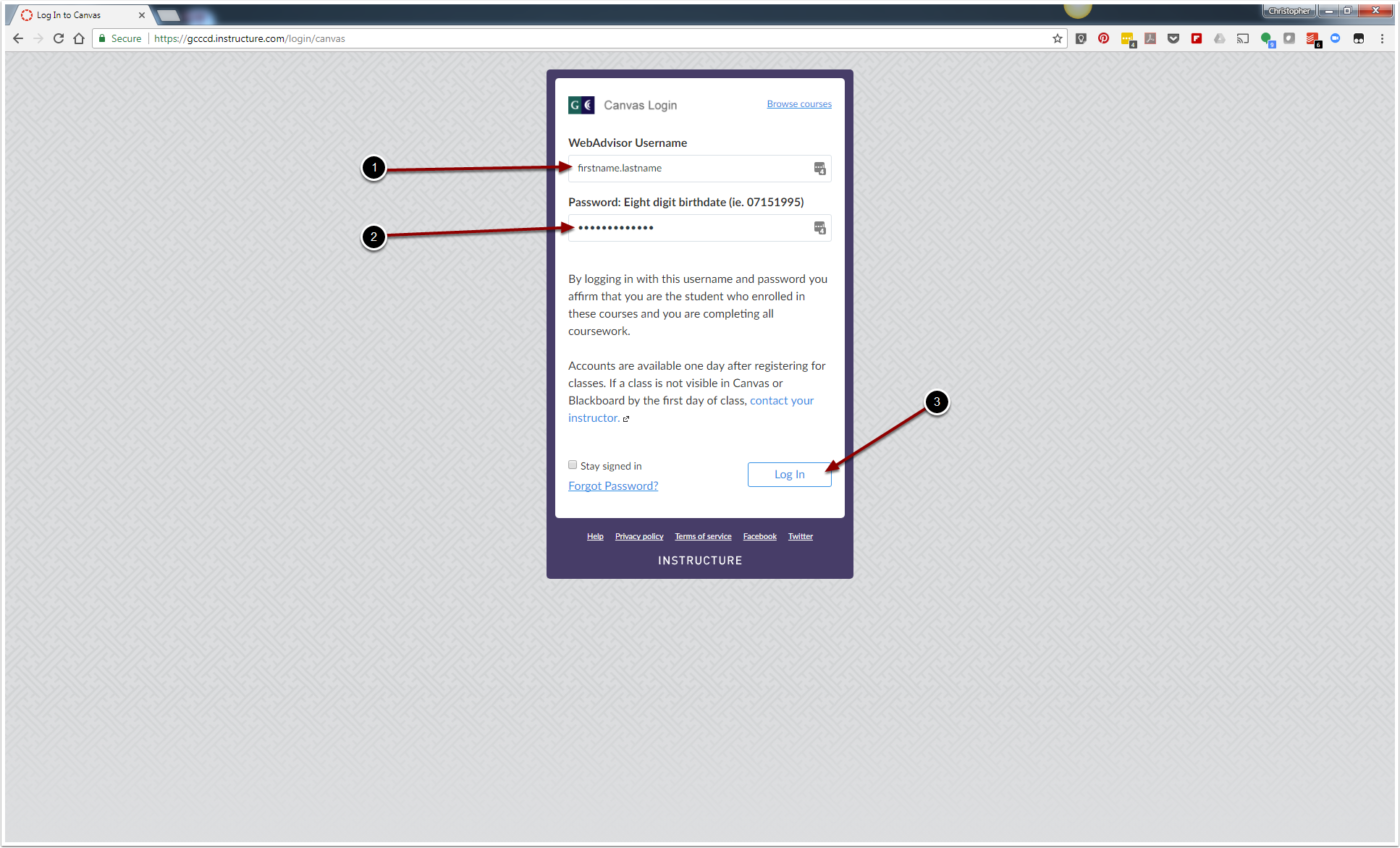
1. Enter in your Self-Service Username or your legal firstname.lastname.
2. Enter in your eight digit birthdate for the password (ie: 07151995).
3. Click "Log In".
Changing Your Default Password
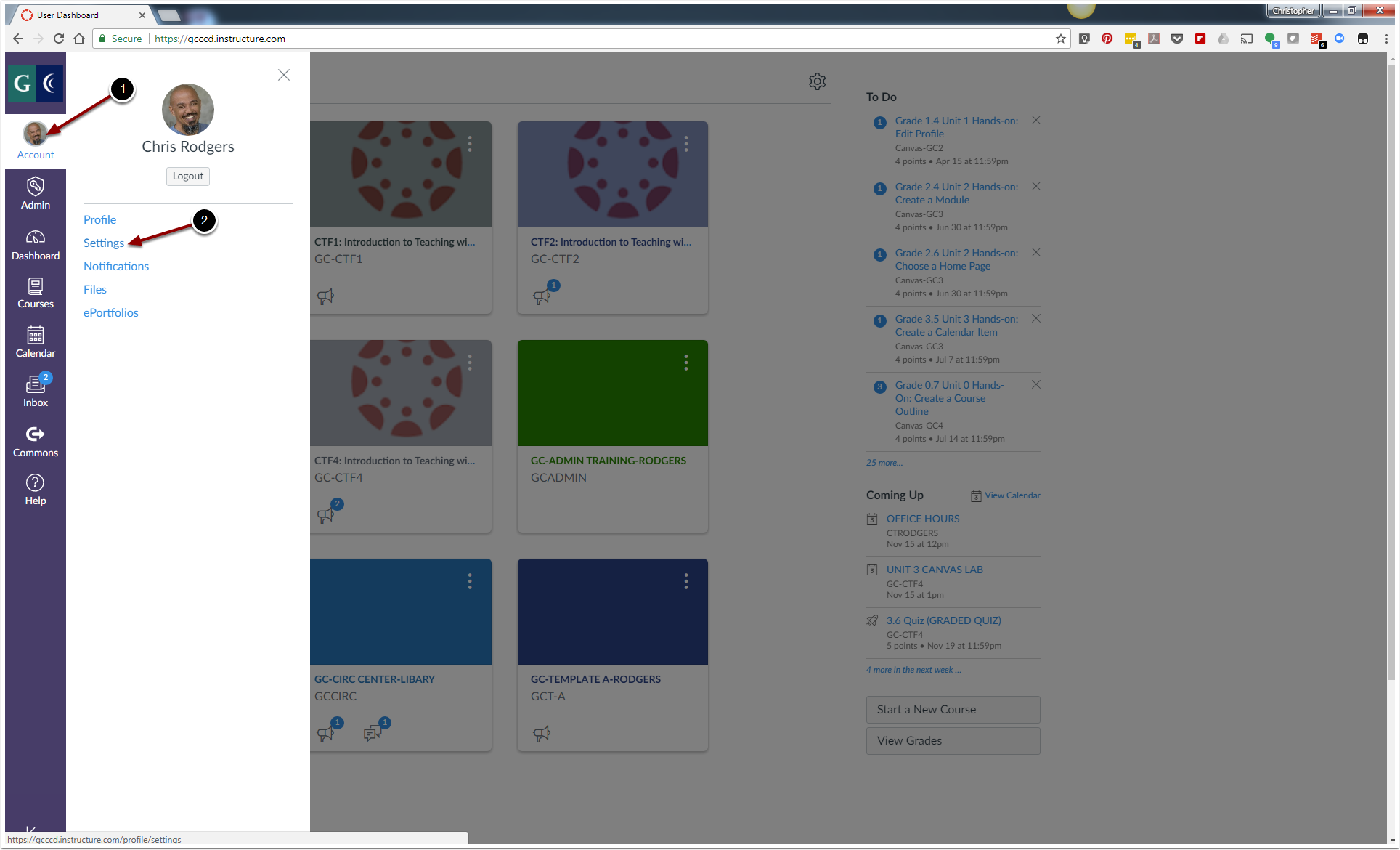
1. Once you have logged into your Grossmont Canvas account, click on "Account".
2. Click on "Settings".
Step 2
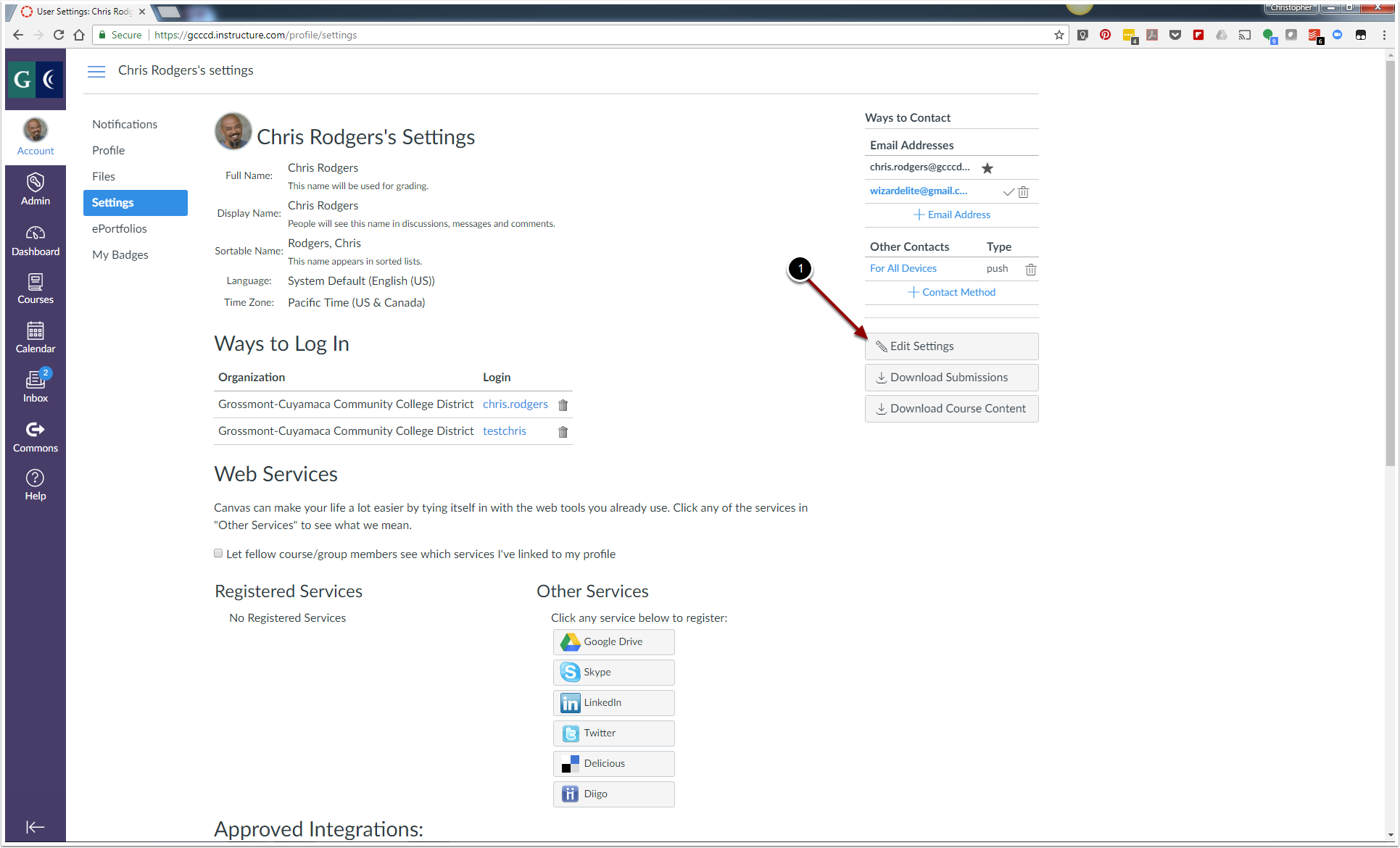
1. Click on "Edit Settings".
Step 3
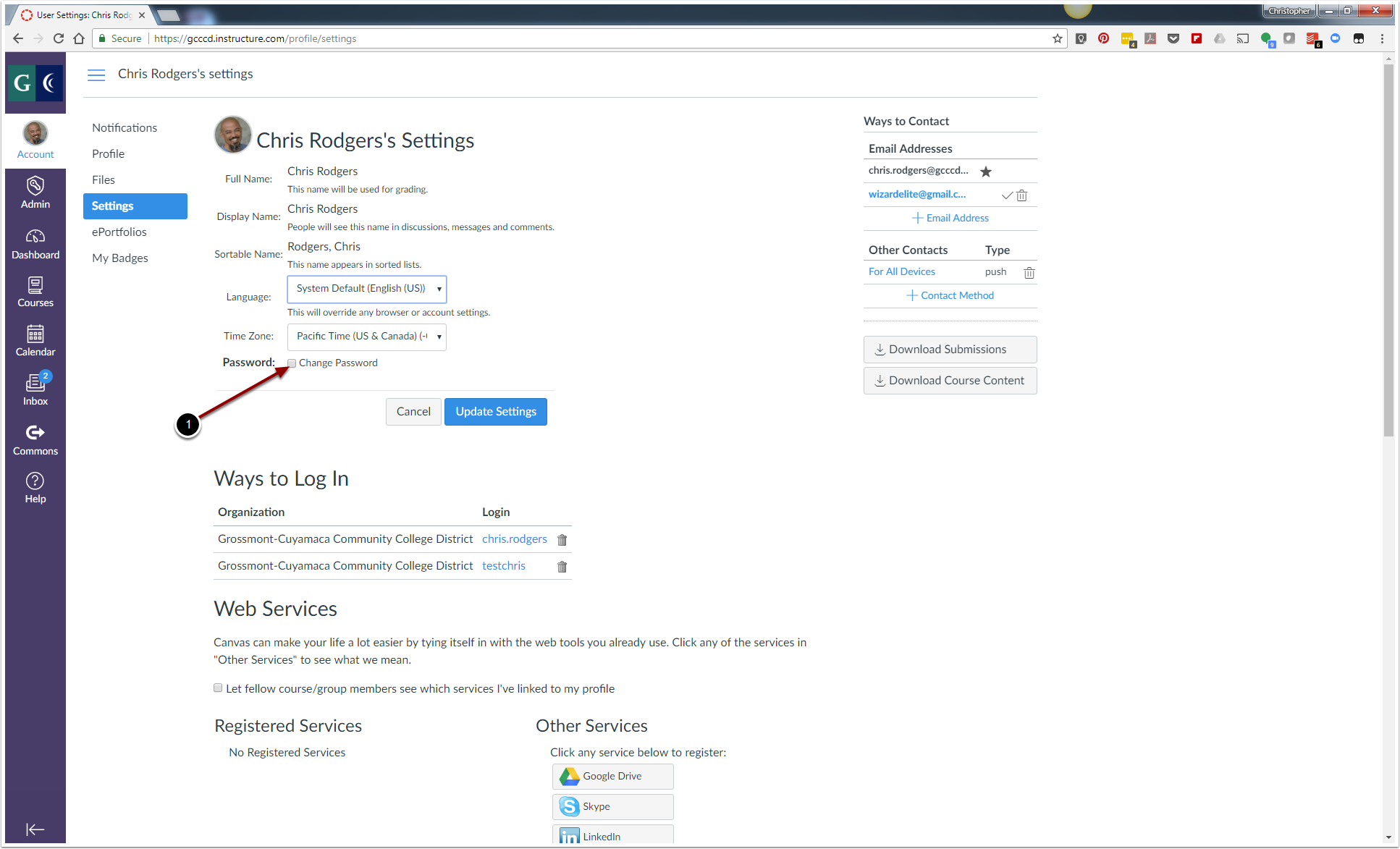
1. Click the "Checkbox" located to the left of the "Change Password" option.
Step 4
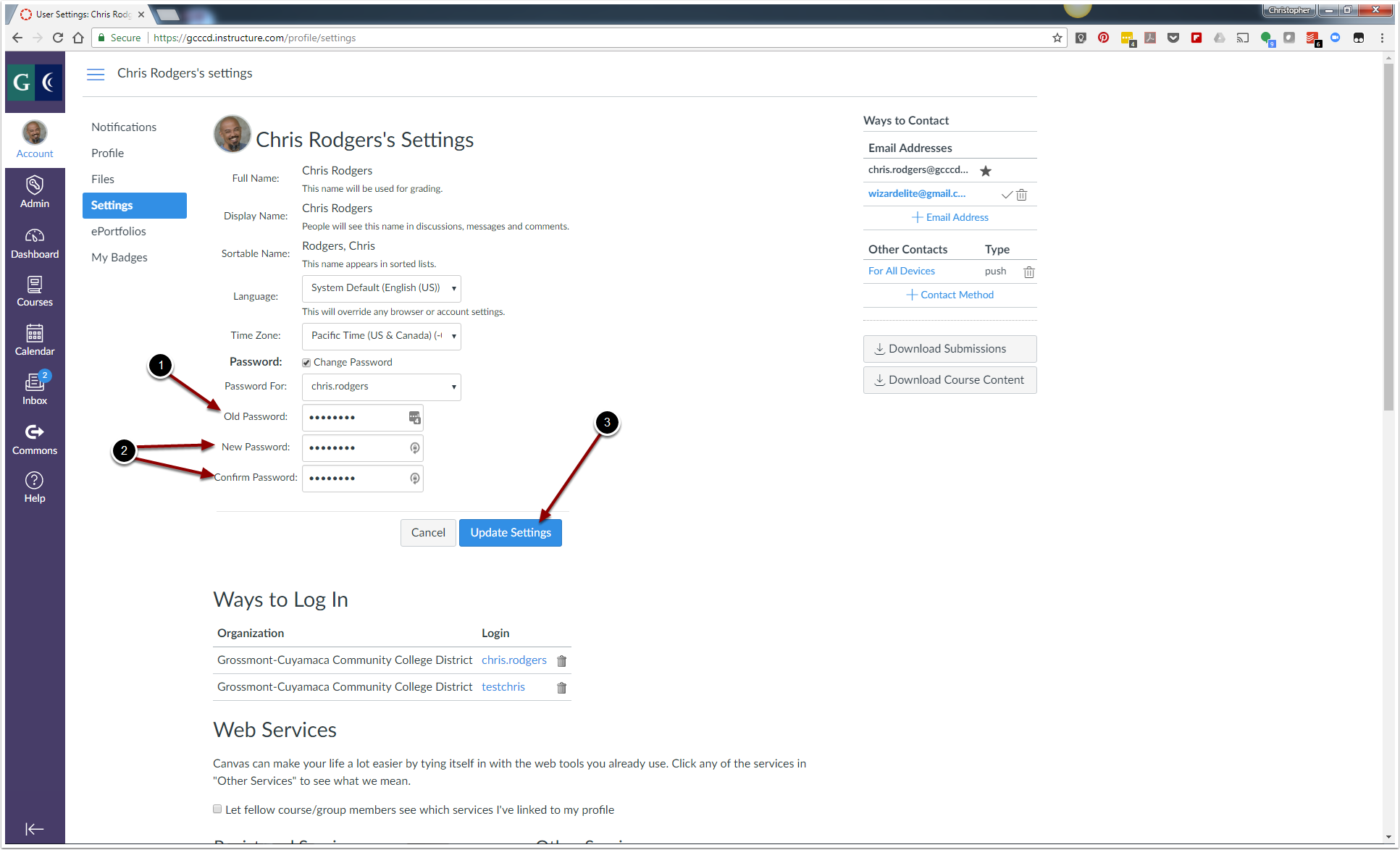
1. Enter in your old password.
2. Enter in your new password and then re-enter it again to confirm it.
3. Click "Update Settings" to save your changes.
Related Resources